Programming in C#, Java, and god knows what not

DotPeek

Illustration

Almost two years ago .NET Reflector went into freeware history. First it was $35 but price has gone since to $95 these days. For something that was freeware once this is quite an increase.

Strictly speaking I was not really affected. Microsoft released source code for basic .NET libraries quite a long ago so most of my snooping needs were covered. But setting that up was pain-in-the-ass compared to the pure simplicity of .NET Reflector.

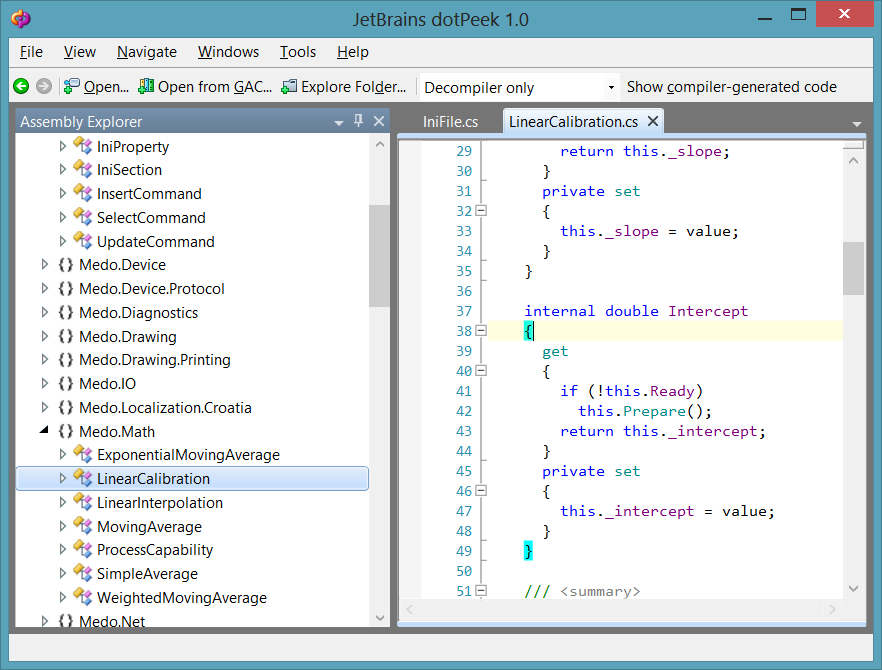
JetBrains, creators of ReSharper tool, created new tool called dotPeek. For all practical purposes we can view it as long lost cousin of .NET Reflector. Best of all it is completely free (at least in version 1.0).

Product is not without fault. On Windows 8 I could not get document search to work; source produced has extra spaces here and there; it does not support Visual Basic; there is no option to save a file; project export is not possible; it sometime breaks Alt-Tab behavior… Those are just biggest complaints that show it is definitely not without fault.

But I like it nevertheless!

It worked perfectly on all code that I gave it and has always produced acceptable code. Stack trace browsing allows to track function calls across assemblies with ease and it is feature that I never thought of before but it seems so logical now.

Browsing though code is probably as good as it gets once you get used to keyboard shortcuts. And editor support for code folding is fantastic. Since that is what you actually need 95% of time, all bugs / forgotten features are easily forgotten.

It is tool that is worth its place in toolbox of every C# programmer.

P.S. No, it does not have stupid time restrictions that drove me crazy even in freeware .NET Reflector.
Deleting Team Foundation Services Project

As you try new service, one is bound to make a lot of mess. I did the same with my Team Foundation Services account. After initial testing was done I decided to make a clean start and delete a project.

It took me quite a while to give up on finding delete. It seems that somebody forgot to take his pills during design phase and thus delete button does not exist.

Fortunately, this is just an Team Foundation Server so good old command line will do nicely:

CD "C:\Program Files (x86)\Microsoft Visual Studio 11.0\Common7\IDE"

TFSDeleteProject.exe /collection:https://jmedved.visualstudio.com/DefaultCollection/ Test
 Warning: Deleting a team project is an irrecoverable operation. All version control, work item tracking and Team Foundation build data will be destroyed from the system. The only way to recover this data is by restoring a stored backup of the databases. Are you sure you want to delete the team project and all of its data (Y/N)? Y
 Deleting from Build ...
 Done
 Deleting from Version Control ...
 Done
 Deleting from Work Item Tracking ...
 Done
 Deleting from TestManagement ...
 Done
 Deleting from ProcessManagement ...
 Done
 Deleting from LabManagement ...
 Done
 Deleting from ProjectServer ...
 Done
 Warning. Did not find Report Server service.
 Warning. Did not find SharePoint site service.
 Deleting from Team Foundation Core ...
 Done

Of course, if you want to create new project with same name, do not forget to visit File -> Source Control -> Advanced -> Workspaces in order to remove last traces.

Solving Case of Missing Tests

Illustration

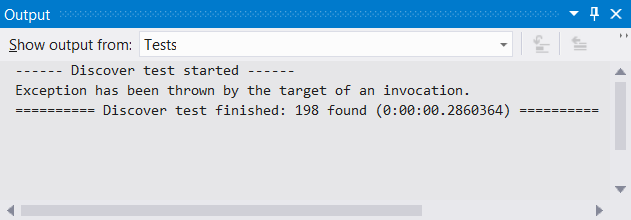
I was quite surprised when Visual Studio 2012 could not run any unit tests for one project of mine. Every time I would hit rebuild, same output would appear “Exception has been thrown by the target of an invocation.” and Test Explorer would stay empty.

Solution that worked for me was just deleting whole TestResults directory. One rebuild after, Test Explorer was full once more.

How did this corruption occur is different matter completely. Since this project was converted from Visual Studio 2010 it might be something in conversion process gone wrong. Or it might have been some disk error. Or my habit of interrupting build process finally got me. I will probably never know.

Team Foundation Service

Illustration

Source control is something that every project needs. I do not care whether it is simple Hello World app or next Office. If you don’t have it under source control, you are doing it wrong.

For a while now I have been advocate of Mercurial. Nice distributed source control with acceptable UI under Windows and with lot of options for online storage (BitBucket being most popular choice). And it integrates nicely in Visual Studio (VisualHg plugin).

If your work completely revolves around Visual Studio, there was always option of using Team Foundation Server. It is good centralized source control system deeply integrated into Visual Studio. As a bonus it also offers quite a good deal of bug ticket management and scrum planning. It tries to be one solution for all project needs, and it is rather successful in that.

Downside is infrastructure. Installing Team Foundation Server is not too difficult but it does require separate server, setting up backup plans and at least though about access. This is not too difficult when dealing with local team but if you have someone outside of your network everything gets painful and expensive pretty soon. Not a problem for organization but usually unscalable obstacle for someone setting it up at home.

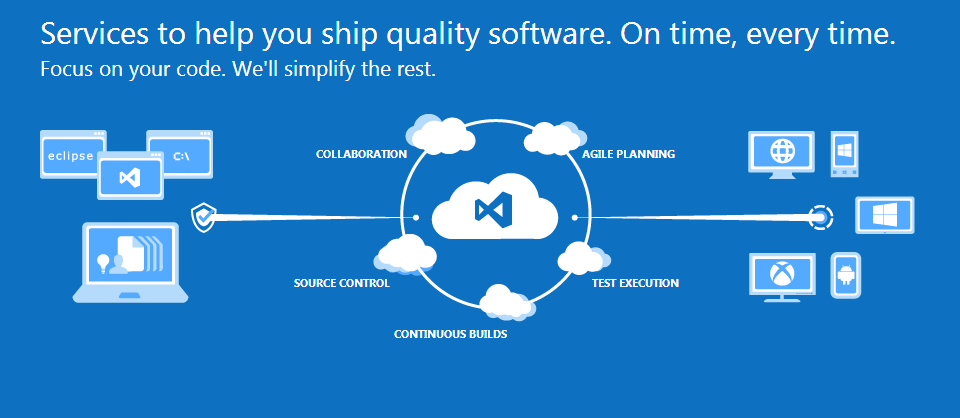
Things change a bit with new Team Foundation Service. Sales department boost it as “cloud-powered source code management” but developers can really just look at it as Team Foundation Server on Internet. That means that most difficult part of work is done for us. Server is up, somewhere where everybody can reach it and someone else takes care of backup.

Features include centralized source code management model that is really easy to use and almost anything any scrum team would need for managing project. Yes, that includes tasks, backlogs and all that beautiful stuff. Of course, bug management comes out-of-box too. Really no difference to standalone Team Foundation Server.

Thing that I like the most is fact that it is free for up to 5 users without any additional limit on number of projects. That makes it really viable for hobby project done by single person or even really small teams. Paid plans will be announced in 2013. Before that time even huge teams can get some of a free action.

Yes, BitBucket offers same amount of free users and you can get free scrum and bug management systems also. However, Team Foundation Service really shines in level of integration. I am not aware of any other solution that offers all this and that is so easy to setup.

If your development world is rooted in Visual Studio, life can hardly be better.

ListView Iterations

If there is need to iterate through ListView items, I often see following code:

foreach (var item in listView1.Items) {
    var itemX = (ListViewItem)item;
    //do something with itemX
}

Unfortunately C# compiler is not smart enough to notice that item is actually ListViewItem so it keeps it as Object. And thus we need to cast it to our desired type.

Well, actually there is no need to do this. One just needs to remember live before implicit typing with var came:

foreach (ListViewItem item in listView1.Items) {
    //do something with item
}

This still works and it definitely looks nicer.

SQL Access Denied

Illustration

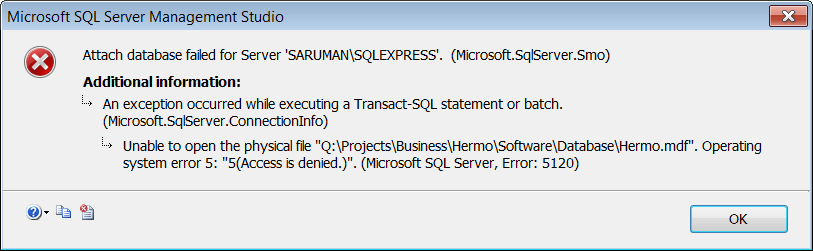
As I did forced reinstall of my development environment I decided to move all my SQL Server databases to virtual disk. It seemed like a good choice, especially since I formatted virtual disk as exFAT. Since I have dual boot that means that I can use same database from both machines without dealing with all that pesky security.

Well, I was wrong. First message that greeted me was dreadful Access Denied. SQL Server would not attach, create or otherwise do anything with anything on that drive.

I’ll skip some debugging and head smacking and present you only with result: In services find SQL Server instance and change Log on as property to Local System account instead default of Network Service. That will allow it access your attached virtual disk.

Security-wise Network Service is much better account for hosting SQL Server. And in production I would definitely go with either it or separate account only for SQL Server. However, having SQL Server running as Local Service is convenient and good enough for development environment.

P.S. Once you attach database, you can switch back to Network Service account. It seems that error appears only on initial attach.

LDAP Authentication From C#

using (var ldap = new LdapConnection(new LdapDirectoryIdentifier(this.HostName))) {
    ldap.SessionOptions.ProtocolVersion = 3;

    ldap.AuthType = AuthType.Anonymous;
    ldap.Bind();
    var dn = GetDn(ldap, userName);

    ldap.AuthType = AuthType.Basic;
    try {
        ldap.Bind(new NetworkCredential(dn, password));
        return GetUser(ldap, dn);
    } catch (LdapException) {
        return null;
    }
}

First step is just simple anonymous bind to retrieve distinguished name based on user name. If our UID is jdoe, we simply search for uid=jdoe in dc=localdomain (base DN) using sub-tree search. That should give us location of our user wherever he is. Let’s assume that user is now found at uid=jdoe,ou=People,dc=localdomain.

Full DN of user is then used together with password to authenticate ldap connection. If authentication fails our user cannot logon. If it works than another ldap search (uid=jdoe,ou=People,dc=localdomain) retrieves attributes, packs them into class and returns it back.

Sweet and simple.

P.S. Code in this post is just an excerpt. You can download full code here.

Pure Laziness

Illustration

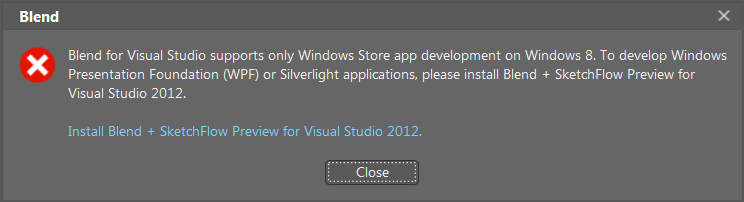
Visual Studio 2012 comes with Blend. Even Visual Studio installation is named “Visual Studio 2012 with Blend”.

Therefore I was surprised when I actually started Blend under Windows 7. I got slapped with “… supports only Windows Store app development on Windows 8 …”.

Under assumption that there is some programming API for retrieving actual version of Windows, I cannot think of an excuse other then pure laziness why this item ended up offered as instalaltion option. If you know that your component does not work under certain OS, do not even show it to user. And do not even think about actually installing it.

I understand that Microsoft wants to sweeten deal for early Windows 8 adopters. I find nothing wrong with that. It is actually really sensible thing to do.

But do not install by default stuff that developer cannot use. It will just make him cranky.

P.S. Uninstalling Blend left it’s item and project templates directories behind…

Uri Escaping

Either I need to download a certain page for further processing or I need to just post some data, code for generating url is quite similar. Just take two strings and merge them together. I usually then convert resulting string into Uri because most methods tend to require it, or even if they accept string, they convert it into Uri internally. For example:

var uriString = string.Format("http://www.example.com/{0}/", "ABC");
var uri = new Uri(uriString);
Debug.WriteLine(uriString + "\t" + uri.ToString());
// http://www.example.com/ABC/    http://www.example.com/ABC/

This, of course, does not deal with having special characters. All you need for those is escaping. Fortunately Uri class already has a method for that:

var uriString = string.Format("http://www.example.com/{0}/", Uri.EscapeDataString("A/BC"));
var uri = new Uri(uriString);
Debug.WriteLine(uriString + "\t" + uri.ToString());
// http://www.example.com/A%2FBC/  http://www.example.com/A/BC/

As you can see peculiar thing happened. While our string is escaped, transforming it to Uri actually loses this. Instead of encoded “A%2FBC” as one segment we get separate “A” and “BC”. Querying server with later will not result in expected content.

Solution here is to use double escaping.

var uriString = string.Format("http://www.example.com/{0}/", Uri.EscapeDataString(Uri.EscapeDataString("A/BC")));
var uri = new Uri(uriString);
Debug.WriteLine(uriString + "\t" + uri.ToString());
// http://www.example.com/A%252FBC/    http://www.example.com/A%252FBC/

End result might look ugly but it will get you that page every time.

P.S. Example.com does not contain said directories/files. To see double encoding example, you can check this link toward DigiKey (http://www.digikey.com/product-detail/en/DS2482S-100%252B/DS2482S-100%252B-ND/1197435) or just roll your own.

Is It Dark Yet?

Themes are quite popular thing under Windows and it is very hard to make an application that would look decent regardless of user-selected colors. It is somewhat easier when you can cover all your needs with predefined theme colors. but sometime you just need a few more in order to emphasize an element.

As an example we can take simple highlighting of an error. Changing offending text to dark red works really nice on white background. If user has dark background, dark red text is probably not as visible.

Easiest solution (and I fear most often used one) is to ignore this issue. If user has such stupid theme, it is his problem. Needless to say, this is very rude. If user wants to have black background, user should have it. Lunatics should not be restricted!

Other solution is to find colors for every combination expected in wild. Given customization possibilities this is probably not a path worth taking. However, we can divide all possible theme choices into subsets and work from there.

I usually just fit everything into two color buckets - light and dark. If I detect that background is light, I use one color, while I use another if background is dark. This simple solution works almost always.

Function looks something like this:

bool IsColorDark(Color color) {
    var y = 0.2126 * color.R + 0.7152 * color.G + 0.0722 * color.B;
    return (y <= 160);
}

It just calculates luminance of a given color (0-255). All colors with high luminance are considered light and all those with low luminance are dark. Somewhat arbitrary cutoff point value used here is 160. I found that it works quite well for my needs.

To check whether color belongs on dark end of spectrum we just place it in function call:

if (IsColorDark(myColor)) {
    //do something for dark
} else {
    //do something for light
}