Programming in C#, Java, and god knows what not

Annotating Icons

Placing icon in tray is usually quite straightforward. You usually just take application icon and assign it to NotifyIcon. But what if you want to add a small annotation to tray icon (e.g. small shield)?

Well, you can do something like this. Just get application icon and draw another image on it. Yes, it does require a bit of calculation to get it into the bottom right corner but nothing that a little math cannot handle.

private static Icon GetAnnotatedIcon(Bitmap annotation) {
  var icon = GetApplicationIcon();

  if (icon != null) {
    var image = icon.ToBitmap();
    if (icon != null) {
      using (var g = Graphics.FromImage(image)) {
        g.DrawImage(annotation, (int)g.VisibleClipBounds.Width - annotation.Width - 2, (int)g.VisibleClipBounds.Height - annotation.Height - 2);
        g.Flush();
      }
    }
    return Icon.FromHandle(image.GetHicon());
  }
  return null;
}

There is only one magic moment above - how to get application icon. Fortunately, a bit of P/Invoke goes a long way.

private static Icon GetApplicationIcon() {
  var hLibrary = NativeMethods.LoadLibrary(Assembly.GetEntryAssembly().Location);
  if (!hLibrary.Equals(IntPtr.Zero)) {
    var hIcon = NativeMethods.LoadImage(hLibrary, "#32512", NativeMethods.IMAGE_ICON, 20, 20, 0);
    if (!hIcon.Equals(System.IntPtr.Zero)) {
      var icon = Icon.FromHandle(hIcon);
      if (icon != null) { return icon; }
    }
  }
  return null;
}

private static class NativeMethods {
  public const UInt32 IMAGE_ICON = 1;

  [DllImport("user32.dll", CharSet = CharSet.Unicode)]
  static extern internal IntPtr LoadImage(IntPtr hInstance, String lpIconName, UInt32 uType, Int32 cxDesired, Int32 cyDesired, UInt32 fuLoad);

  [DllImport("kernel32.dll", CharSet = CharSet.Unicode)]
  static extern internal IntPtr LoadLibrary(string lpFileName);
}

And yes, this code doesn’t take DPI into account so your high-definition icon might suffer - let’s leave that for some other post. :)
Changing Git Commit Message

Every once in a while I figure a typo as I am hitting git commit. Mind you, it’s not that I am making a typo once in a while - I do typos all the time - I only notice them once in a while. :)

What follows is a common pair of commands:

git reset --soft HEAD~
git commit -m"Corrected spelling."

As I did with other git operations I do often enough, I decided to make it an alias:

git config --global alias.redo '!git reset --soft HEAD~ && git commit'

Now I can use a single git command to do correction:

git redo -m"Corrected spelling."

Even better, if comment is not given, command will simply move the latest commit back into the staging area.

Might not be a huge change but it does make a common operation faster.

Omitting Quotes From DebuggerDisplay

Using DebuggerDisplay is both simple and really helps with troubleshooting. However, its automatic quoting of strings can sometime result in less than optimal tooltip display.

For example, if you have Key and Value field with “Foo” and “Bar” as their respective content, you might end up with the following attribute:

DebuggerDisplay("{Key}: {Value}");

This will result in "Foo": "Bar" tooltip text. While not a big deal, these excessive quotes can be a bit of annoyance. Fortunately, you can tell DebuggerDisplay to stops its auto-quoting:

DebuggerDisplay("{Key,nq}: {Value,nq}");

This will result in much nicer-looking Foo: Bar output.

TimeSpan and HH:mm

Illustration

Time printing and parsing is always “fun” regardless of language but, for most of time C#, actually has it much better than one would expect. However, sometime one can get surprised by small details.

One application had the following (extremely simplified) code writing time entries:

var text = someDate.ToString("HH:mm", CultureInfo.InvariantCulture);

Other application had the (also simplified) parsing code:

var someTime = TimeSpan.ParseExact(text, "HH:mm", CultureInfo.InvariantCulture);

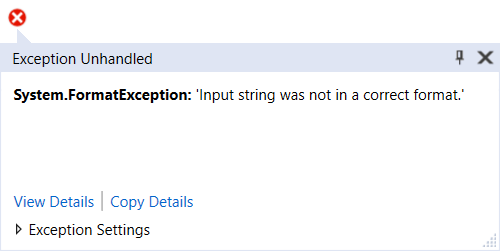
And all I got was System.FormatException: 'Input string was not in a correct format.'

Issue was not in text, all entries were valid time. Nope, issue was in a slight difference between custom DataTime and custom TimeSpan specifiers.

Reading documentation it’s really easy to note the first error as these is a clear warning: “The custom TimeSpan format specifiers do not include placeholder separator symbols.” In short that means we cannot use colon (:) as a TimeSpan separator. Nope, we need to escape it using backslash (\) character. I find this one mildly annoying as not implementing time separators into TimeSpan seems like a pretty basic functionality.

But there is also a second error that’s be invisible if you’re not watching carefully. TimeSpan has no knowledge of H specifier. It understands only its lowercase brother h. I would personally argue this is wrong. If any of those two had to be used, it should have been H as it denotes time more uniquely.

In any case, the corrected code was as follows:

var someTime = TimeSpan.ParseExact(text, "hh\\:mm", CultureInfo.InvariantCulture);

Ideally one would always want to use the same format for output as the input but just because semantics of one class are the same as the other for your use case, you cannot count of format specifier to be the same.

Broken Korean and Japanese in RichTextBox

For a while now my QText utility had an elusive issue. I got multiple reports from Korean and Japanese people that text input doesn’t work properly. Unfortunately they often wouldn’t leave e-mail or wouldn’t feed me with more information to understand the issue.

But eventually, one nice Korean gentleman did manage to show the problem by taking video of him taking notes in Notepad and QText side by side. To reproduce it on my side, I installed Korean keyboard and tried to repeat his (English) sequence: EKS CNR ZL.

In Notepad that sequence resulted with “단축키” while my QText caused text to read “단ㅊㅜㄱ키”. Due to my knowledge of the Korean Starcraft scene, I was aware that Korean letters are grouped into blocks. And obviously QText was somehow messing it up.

After a bit of bumbling around, I found the issue was in OnSelectionChanged handler with further analysis showing the SelectionLength property to be the one causing the actual issue:

protected override void OnSelectionChanged(EventArgs e) {
  this.IsSelectionEmpty = (^^this.SelectionLength^^ == 0);
  if (^^this.SelectionLength^^ == 0) { this.CaretPosition = this.SelectionStart; }
  base.OnSelectionChanged(e);
}

Next stop was Microsoft’s Reference Source for .NET where took a look into RichTextBox.cs and SelectionLength property only to see the following comment:

// RichTextBox allows the user to select the EOF character,
// but we don't want to include this in the SelectionLength.
// So instead of sending EM_GETSEL, we just obtain the SelectedText and return
// the length of it.

This little innocent note actually pointed toward SelectedText property which does a lot of work internally, including sending EM_STREAMOUT message. This call unfortunately terminates IME entry a bit early and Korean character block boundaries get broken.

Fix I decided on was to ignore EOF issue from the comment and use EM_EXGETSEL message to determine what is the current selection length. Short version of committed code went something like this:

protected override void OnSelectionChanged(EventArgs e) {
  var range = new NativeMethods.CHARRANGE();
  NativeMethods.SendMessage(this.Handle, NativeMethods.EM_EXGETSEL, IntPtr.Zero, ref range);
  this.IsSelectionEmpty = this.IsSelectionEmpty = (range.cpMin == range.cpMax);
  if (this.IsSelectionEmpty) { this.CaretPosition = range.cpMin; }
}

private class NativeMethods {
  internal const int WM_USER = 0x0400;
  internal const int EM_EXGETSEL = WM_USER + 52;

  [StructLayout(LayoutKind.Sequential)]
  internal struct CHARRANGE {
    public int cpMin;
    public int cpMax;
  }

  [DllImport("user32.dll", CharSet = CharSet.Unicode)]
  internal static extern IntPtr SendMessage(IntPtr hWnd, Int32 Msg, IntPtr wParam, ref CHARRANGE lParam);
}

Post-Quantum Cryptography - Round One

See also round 2 and round 3.


After NIST’s post-quantum crypthography call for proposal, we have quite a few submissions for round 1.

With almost 70 entries and considering these are all (almost) completely new algorithms, it’s hard to say which are going to be favorites. However, based on no science but name alone, I do have a few favorites.

First one is nod to Star Trek in form of CRYSTALS-DILITHIUM. It is a lattice-based scheme with slight performance advantage over other proposals. Sadly, it uses CryptoJedi as hosting for its white paper which I believe constitutes forbidden religion mix.

Further into the Jedi territory, there is a NewHope algorithm. As it’s unfortunately case with many proposal, there is no website for it, but there is a white paper. It’s again lattice-based algorithm with a focus toward forward secrecy. Not too bad and I would say quite a favorite considering it’s already present in Chrome.

One I like is NTRU Prime. It is (again) lattice-based, but it takes special care to avoid issues other lattice systems might have - the most important being constant-time execution to make classic side-channel attacks more difficult.

Another one to check might be Falcon. It is again lattice-based but with special care given to small memory footprint and stellar performance.

If lattice-based does not work, my money is on DAGS algorithm using quasi-dyadic codes. Its small key size compared to other code-based candidates and possibility of asymmetric key exchange where you get to fine-tune load on server as compared to client make it ideal for IoT (often both energy and performance deprived) applications.

Lastly, RLCE-KEM seems interesting as its RLCE-based encryption gives high performance - even when compared to traditional algorithms. It is a bit finicky algorithm, especially when it comes to padding, but its speed might make it worth.

It is way too early to make serious predictions but I personally really like thought that went into DAGS. It seems to be something that could nicely work for both current and post-quantum scenarios. And fine tuning of server/client work ratio seems to be god-given for battery operated devices. Of course, with great flexibility comes a great responsibility and (generally-speaking) more flexible algorithms allow security downgrades a bit more of a risk.

We shall see what round 2 brings next year. :)

Asterisk Be Damned

Illustration

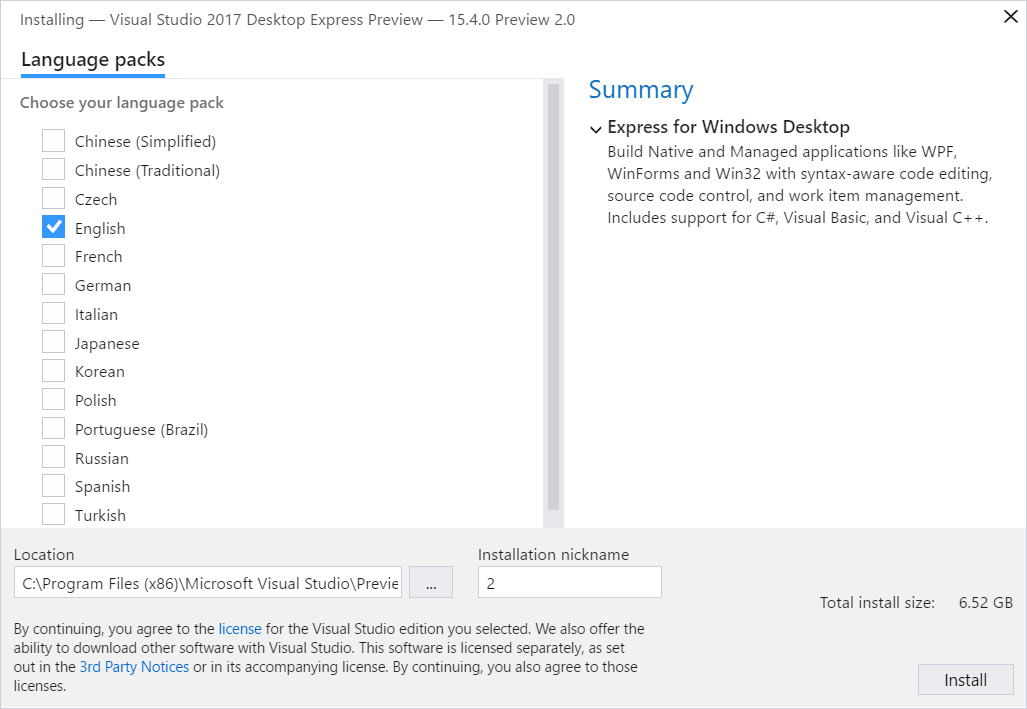
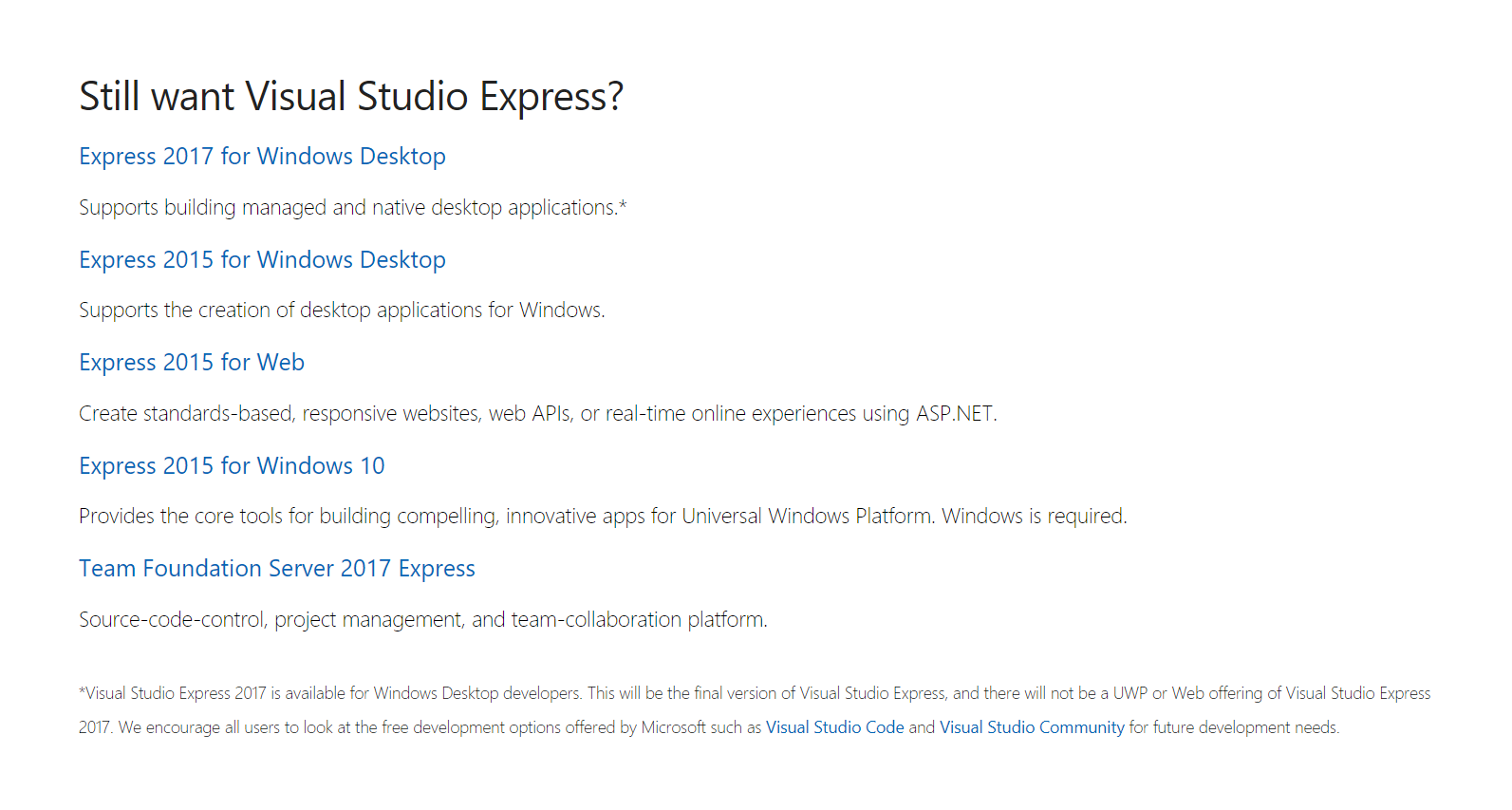
Honestly, I almost lost hope this day will come. However, finally there is a download of Visual Studio Express 2017. Because no sunshine can happen without clouds here in Redmond, only Desktop edition is available. Moreover, Microsoft found it necessary to clarify it further with the following asterisk:

* Visual Studio Express 2017 is available for Windows Desktop developers. This will be the final version of Visual Studio Express, and there will not be a UWP or Web offering of Visual Studio Express 2017. We encourage all users to look at the free development options offered by Microsoft such as Visual Studio Code and Visual Studio Community for future development needs.

Yep, this is the last edition for the fans of Express. It has been a good ride I guess.

PS: And no, answer is not using Community as its licencing restrictions make it wildly unsuitable for the whole host of scenarios where Express was shining. For example, use in a bigger company is not really allowed - even if you are not using it for production software but only for internal tools.

Your Evaluation Period Has Ended

Illustration

There are no better ways to spend nice weekend morning than programming - I am sure you agree. ;)

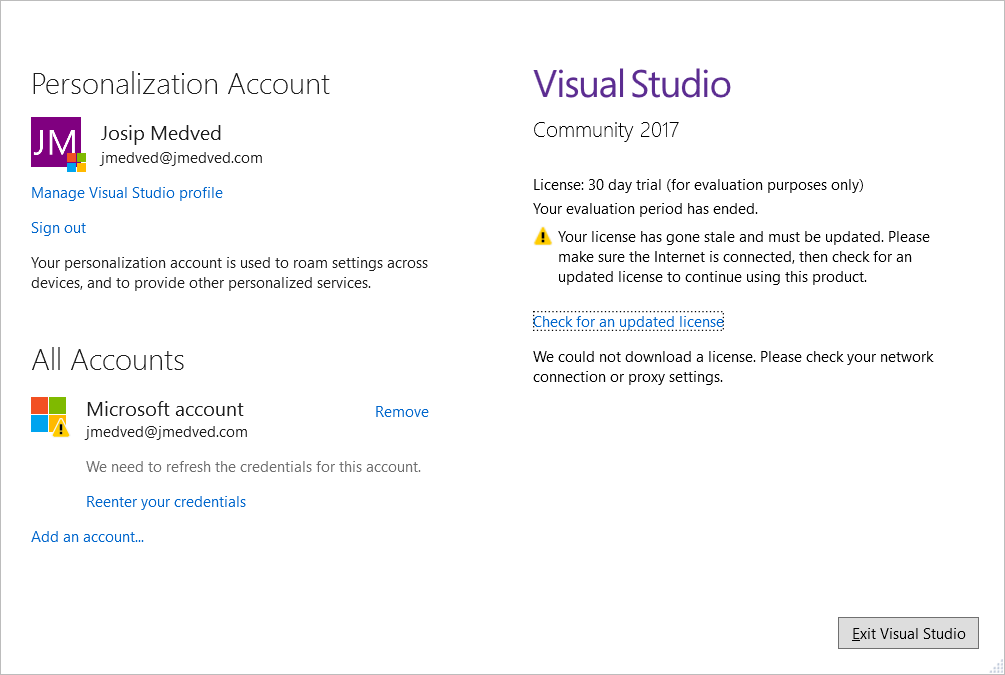
So, one Saturday morning I started Visual Studio Community edition, only to be greeted with “Your evaluation period has ended” message. Somehow my license went “stale” even though I have been using Visual Studio 2017 for months now. Easy enough, there is “Check for an updated license” link immediately below. Unfortunately, that button did nothing except informing me that license couldn’t be downloaded.

Actual solution was to log into the Microsoft account. Once credentials have been verified, dialog simply disappeared. My best guess is that inability to log into account has been the cause for this license covfefe.

Although story has a happy ending, it might not been so if I didn’t have Internet. If this happened in the air, my options would be limited to crying and/or sleeping. Or, if I am lucky, paying exorbitant price of airplane WiFi.

I guess logging off and back onto my Microsoft account should become my standard preflight procedure.

But the question in the back of my mind is: Why the heck would you even put this check in development tool you give away for free?

Express 2017 for Windows Desktop

Illustration

Moment I’ve been waiting for since Visual Studio 2017 was released is finally (almost) here.

While Community edition is more capable, restrictions on its use within anything but the smallest (or opensource) companies are quite limiting. Whereas developers can (hopefully) get at least Professional or even Enterprise edition, the same cannot be said for people who might need access to code just occasionally or who enjoy making small internal tools. For them Express used to be god-given due to its quite permissive licence.

Preview version does have license restrictions on production use, but my expectation is that final version will have the same licence as 2015.

Sysadmins, rejoice!

[2017-10-17: Final release of Visual Studio Express 2017 is out.]

Visual Studio 15.3

Illustration

Behind Visual Studio’s slight version bump from 15.2 to 15.3, we have a major update.

First of all, .NET Core is finally here accompanied with .NET Standard 2.0. Both have greatly increased API coverage and hope is that they will help with greater acceptance of the whole new (open-source) ecosystem.

In addition there is C# 7.1 which is first time Microsoft updated a language in a minor Visual Studio version. True, there are not many changes to the language itself (albeit async Main was longed for) but it signals a new direction of decoupling Visual Studio, C#, .NET Standard releases.

I hope this .NET Standard 2.0 will do what .NET 2.0 did back in 2005 and unite fragmented developers around a new common denominator.

More details at Channel 9.